

We are excited to announce the release of ASP.NET Zero v15.5! This release adds a complete workflow and approval builder, API key authentication, passkey login and social logins for the mobile app, and it gives Power Tools several long-requested features.
The release also contains one breaking change for Angular projects: PrimeNG has been replaced with ng-zorro. Please read that section before you upgrade.
Here is a detailed look at what is new in v15.5.
🔀 Built-in Workflow and Approval Builder
The headline feature of v15.5 is a built-in workflow and approval builder. Tenant administrators can now design request types such as leave requests, purchase approvals or document reviews in a visual designer. Employees start requests from a catalog, and approvers decide on them from their inbox.
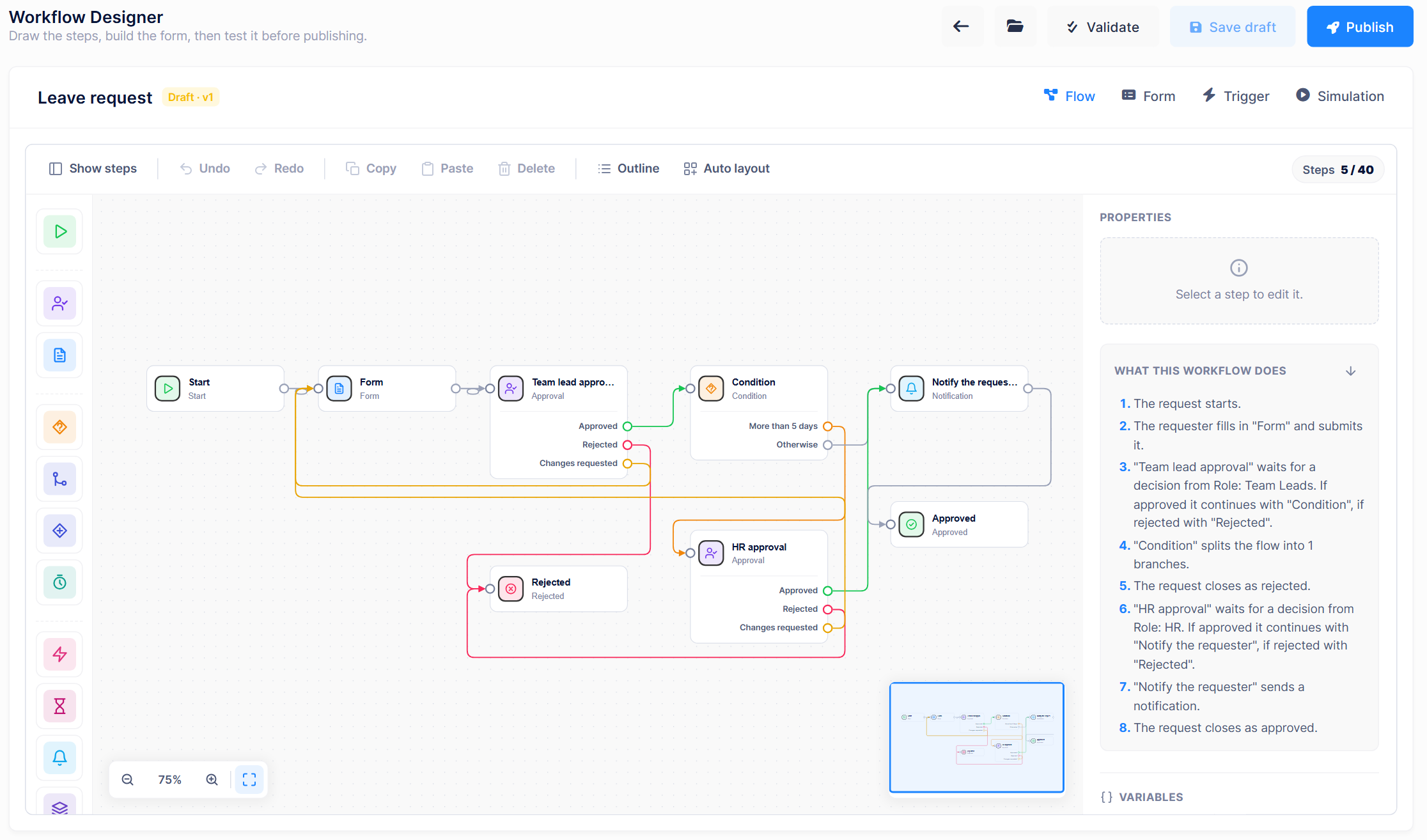
A workflow combines a form, which is what the requester fills in, with a flow, which is the path the request takes after it is submitted. The designer is a shared component, so the same screens are available in the MVC, Angular and React UIs.
With the new builder, you can:
- Build forms visually with text, number, money, date, selection, user, role, organization unit and attachment fields.
- Assign approvals to users, roles, organization units or the requester's manager, and decide whether one approver, every approver or a quorum must approve.
- Add logic to the flow with conditions, parallel branches, timers, notifications and subprocesses.
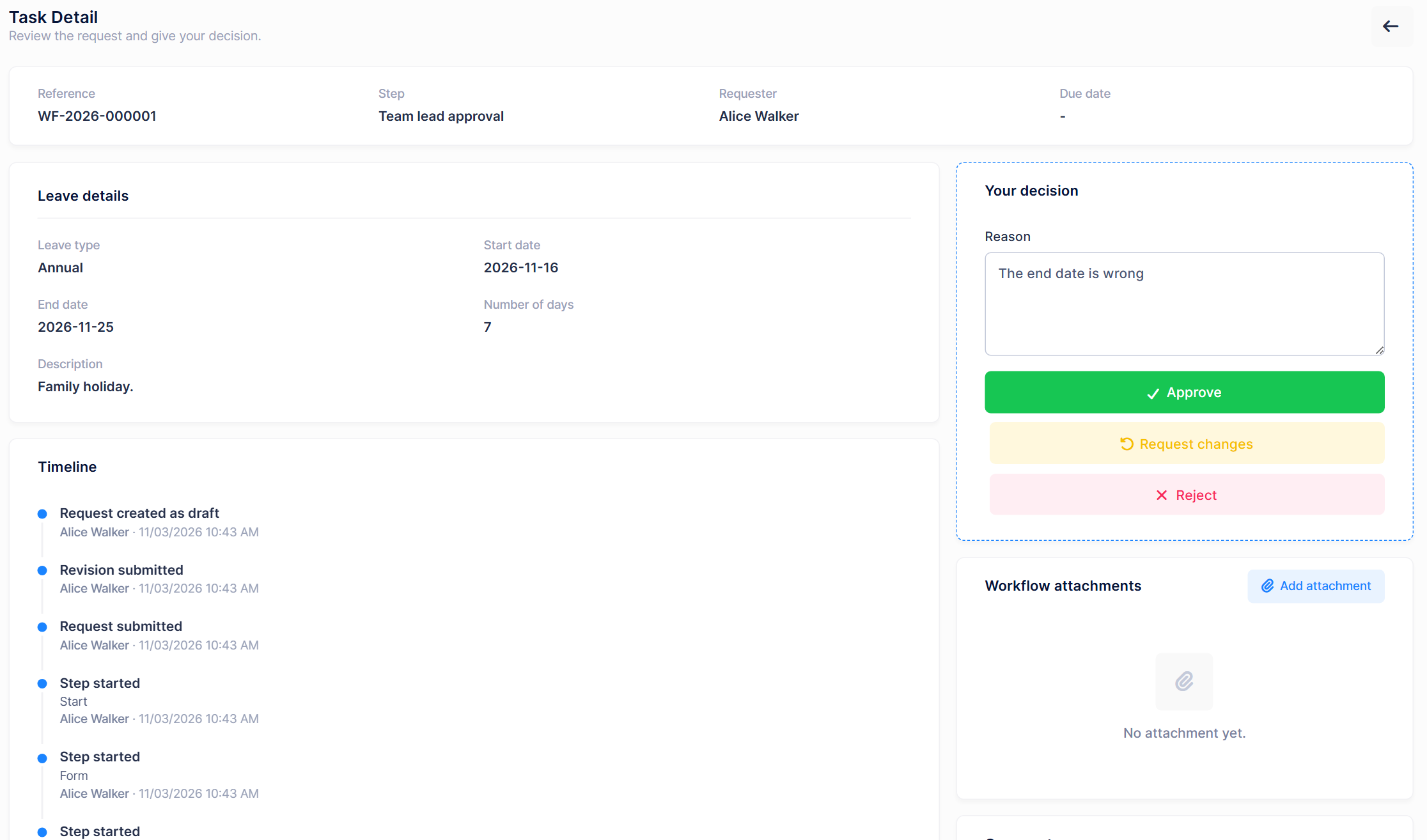
- Send a request back for changes instead of rejecting it, and keep a full timeline of every submission and decision.
- Track service levels with due dates, reminders, escalations and a business calendar.
- Test before you publish. Validation names the exact step that has a problem, and simulation shows the path a request would take and who each step would be assigned to.
- Publish new versions safely. Running requests keep the version they started with.
- Start from a template. Every tenant gets ready-made Leave request, Expense claim and Purchase request templates.
Approvers get a dedicated Approval Inbox and can hand their tasks to a colleague with Workflow Delegations. Administrators can follow everything from Workflow Instances, Workflow Operations, Workflow Audit and Process analytics.
Hosts stay in control of the feature. Workflows are enabled by default, and more advanced capabilities are opt-in from Administration > Settings > Workflows: scheduled and public form triggers, external actions and webhooks, waiting for external events, deciding from email or from Microsoft Teams and Slack, BPMN 2.0 and Elsa import, and AI-assisted authoring.
To see it in action, follow our walkthrough or read the documentation:
- Build Your First Approval Workflow in ASP.NET Zero
- Workflows Document
- Create Your First Workflow Tutorial
🔑 API Key Authentication
Scheduled jobs, CI/CD pipelines, scripts and third-party services often cannot go through an interactive login or keep refreshing a token. v15.5 adds built-in API key authentication for these machine-to-machine scenarios.
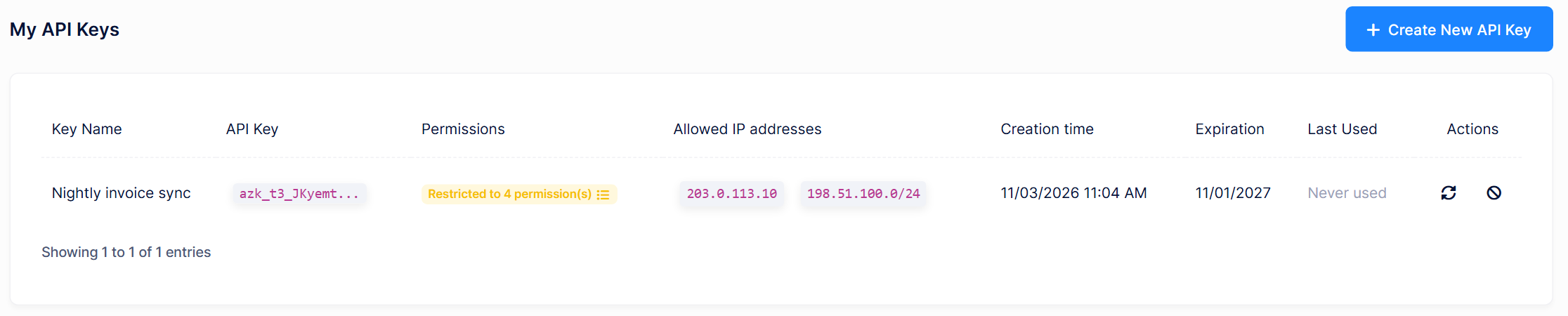
An API key belongs to a user and runs in that user's tenant. Users manage their own keys from the My API Keys page, and administrators can review and revoke every key in the tenant from Administration > API Keys.
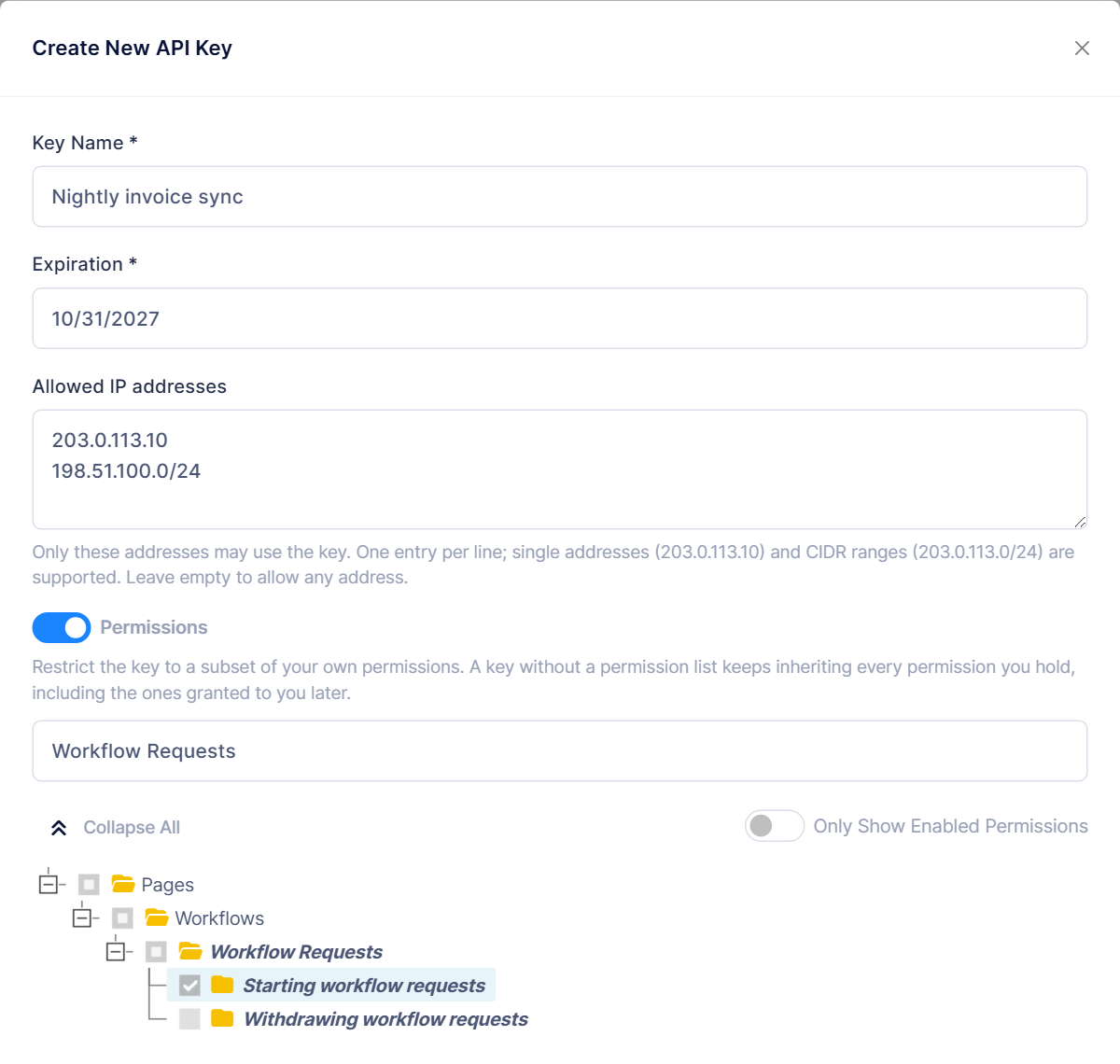
API keys were designed to give as little access as possible:
- Permission scope: Restrict a key to a subset of the user's permissions. Hosts and tenants can make an explicit scope mandatory.
- IP allow list: Limit a key to single IP addresses or CIDR ranges.
- Expiration: Set a maximum lifetime and a maximum number of keys per user, per host or tenant.
- Rotate and revoke: Replace or cancel a key at any time.
- Hashed storage: The full key is displayed only once, and only its hash is stored in the database.
Calling the API with a key only requires the X-API-Key header:
curl -X POST "https://localhost:44301/api/services/app/User/GetUsers" \
     -H "X-API-Key: <your-api-key>" \
     -H "Content-Type: application/json" \
     -d "{ \"maxResultCount\": 10, \"skipCount\": 0 }"
🔐 Passkey Login
Users can now sign in without a password, using their fingerprint, face, screen lock or a security key. ASP.NET Zero v15.5 adds passkey (WebAuthn) login to the MVC, Angular and React UIs, built on the passkey support in .NET 10 and ABP 11.4.
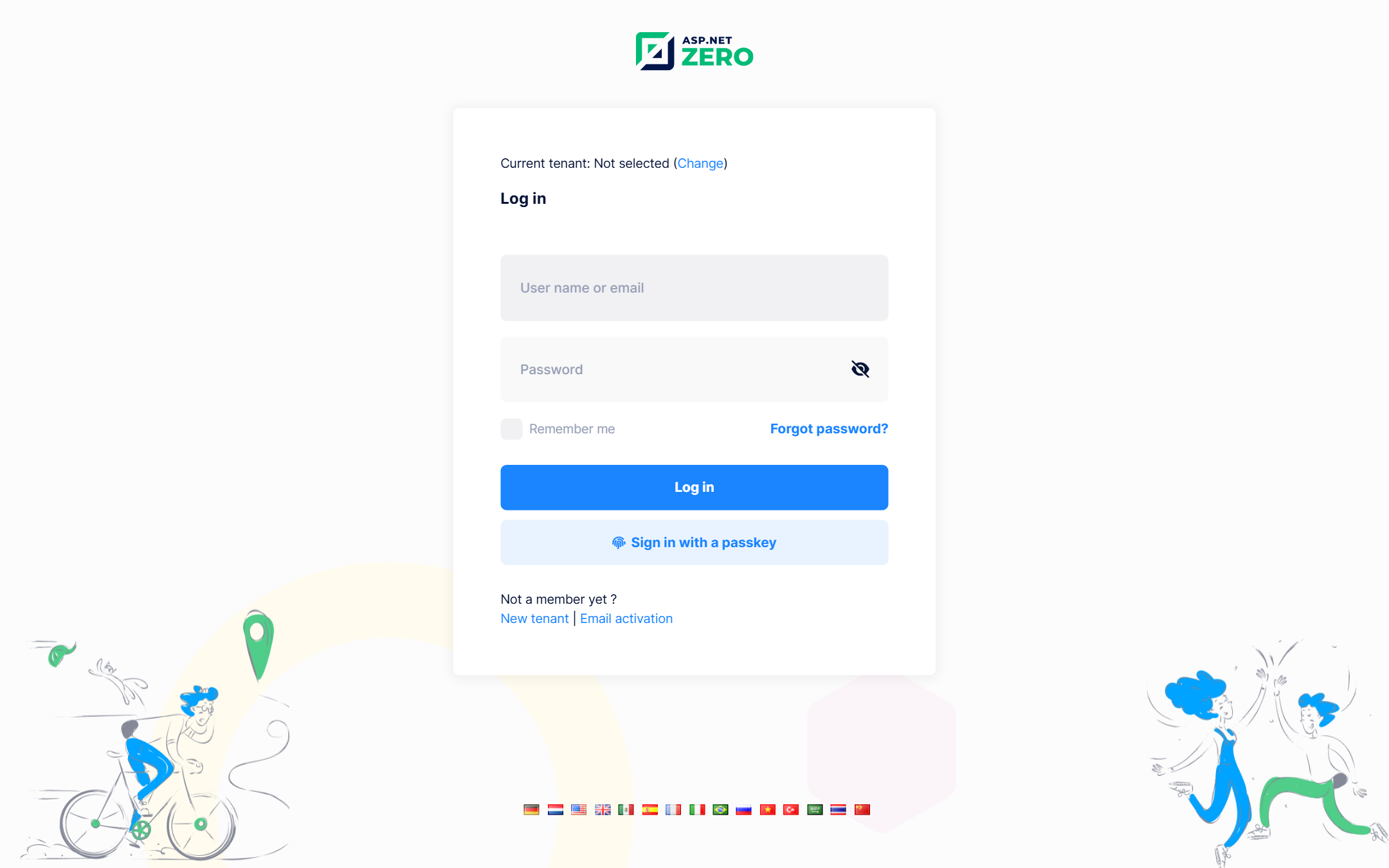
Passkey login is opt-in. Turn on Allow users to sign in with passkeys in the user management settings, and users can register and remove their passkeys from the Passkeys page in the user menu.
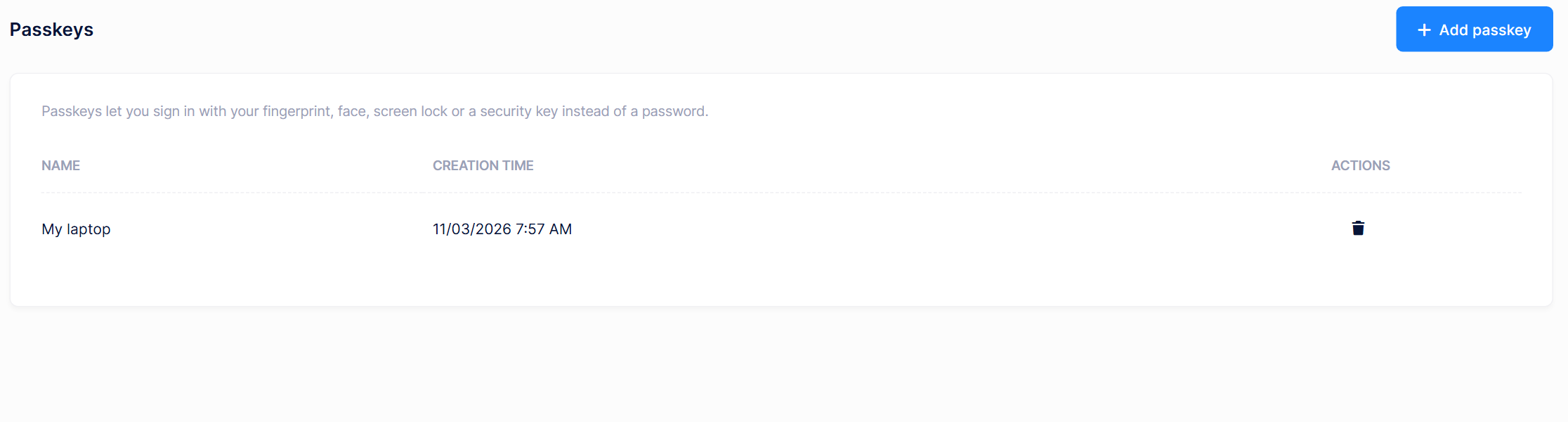
Failed passkey logins are recorded in the login attempts, and a forced password change is still enforced for users who sign in with a passkey.
📱 Social Logins in the Mobile App
The .NET MAUI mobile app now supports Google, Facebook and Apple logins.
- Google and Facebook open the system browser and return to the app through a callback scheme.
- Apple uses the native Sign in with Apple flow on iOS 13 and later.
Providers are configured in the Authentication section of the Web.Host appsettings.json, the same place the web UIs use.
MAUI Development Guide - Social Logins
🧩 Mandatory Dynamic Properties
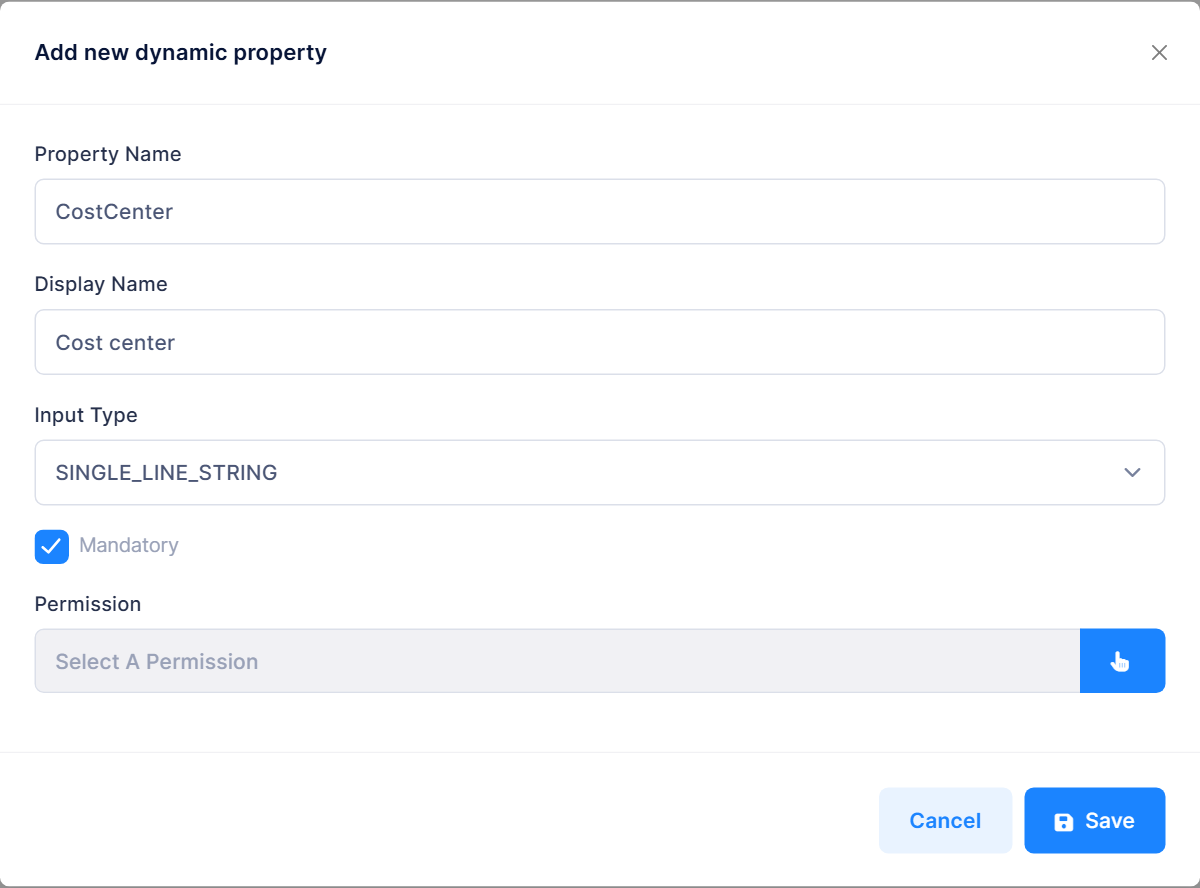
Dynamic properties can now be marked as Mandatory. When saving the values of an entity, ASP.NET Zero rejects the request if a mandatory value is missing, and the values of a mandatory property cannot be deleted.
⚡ Power Tools Improvements
Power Tools takes a big step forward in this release:
- Bulk operations: Generate bulk delete, selected-record Excel export, bulk boolean and enum updates, bulk lookup assignment and a stub for your own custom bulk action. You turn each one on individually for an entity.
- Create from the lookup modal: Users can create a related record directly from the lookup selection modal instead of leaving the page.
- Multiple lookups to the same entity: An entity can now have several navigation properties that point to the same entity, such as the billing and shipping addresses of an order.
- JSON property types: Store a property as JSON and let Power Tools generate typed classes and form inputs for it.
- Custom code that survives regeneration: With Generate Overridable Entity, Power Tools generates extension files that you own and never overwrites them. In Angular, you can also keep your own markup in preserved
az:begin/az:endregions of generated templates. - Service proxies and bundles: The generation workflow can refresh your NSwag service proxies and create bundles as part of code generation, so you no longer have to run them by hand.
You can read more here:
🅰️ Breaking Change: PrimeNG Replaced with ng-zorro in Angular
The Angular UI now uses ng-zorro-antd instead of PrimeNG. Tables, pagination, date pickers, trees and menus have all been migrated, and the components have been styled to match the Metronic theme.
If you have custom Angular pages that use PrimeNG, you need to migrate them when you upgrade. The most common change is in list pages: p-table and p-paginator become nz-table, and PrimengTableHelper is replaced by NzTableHelper.
Before (v15.4, simplified):
<p-table
    #dataTableAuditLogs
    (onLazyLoad)="getAuditLogs($event)"
    [value]="primengTableHelperAuditLogs.records()"
    [paginator]="false"
    [lazy]="true">
    <ng-template #header>
        <tr>
            <th style="width: 150px" pSortableColumn="userName">
                {{ 'UserName' | localize }}
                <p-sortIcon field="userName" />
            </th>
After (v15.5, simplified):
<nz-table
    #dataTableAuditLogs
    [nzData]="nzTableHelperAuditLogs.records()"
    [nzFrontPagination]="false"
    [nzTotal]="nzTableHelperAuditLogs.totalRecordsCount()"
    [nzPageIndex]="nzTableHelperAuditLogs.pageIndex()"
    [nzPageSize]="nzTableHelperAuditLogs.pageSize()"
    (nzQueryParams)="getAuditLogs($event)">
    <thead>
        <tr>
            <th nzWidth="150px" nzColumnKey="userName" [nzSortFn]="true">
                {{ 'UserName' | localize }}
            </th>
In the component, the event type changes from TableLazyLoadEvent to NzTableQueryParams. The built-in pages under angular/src/app/admin are good references for your own migration.
For v15.5 projects, Power Tools generates its Angular pages with ng-zorro templates.
🏗️ Upgraded to ABP 11.4
ASP.NET Zero v15.5 upgrades the underlying ASP.NET Boilerplate packages to ABP 11.4. Highlights include:
- Passkey support: Module Zero now implements the ASP.NET Core Identity passkey store.
- Query performance: EF Core queries are no longer recompiled for every tenant, which removes unnecessary work in applications with many tenants.
- Data filter safety: With
UseAbpQueryCompilerenabled, queries now fail instead of silently dropping the tenant and soft-delete filters when those filters cannot be applied. - Inactive tenants:
AbpSignInManagernow denies sign-in for users of inactive tenants, including sign-in flows that bypassAbpLogInManager. - Webhook and OpenIddict fixes: Webhook subscriptions gained tenant isolation fixes, and the OpenIddict stores now save entities immediately on create.
🛡️ Security and Session Improvements
v15.5 also includes several security improvements:
- Session idle timeout: A new setting signs users out after a configurable period of inactivity.
- QR login sessions: Sessions created through QR login now use the IP address and user agent of the browser that displays the QR code.
- Two-factor login: The selected two-factor provider is now cached per user, so concurrent logins can no longer overwrite each other's selection.
- Login attempts: Successful logins of users with two-factor authentication are now always saved to the login attempts, including when the two-factor step is skipped for a remembered client.
- Rate limiting: The
ByUserrate limit partition now identifies the authenticated user by tenant and user id. - React route guards: React routes now have route-level permission checks.
- Host-only permission: The permission for sending new version notifications is now host-only.
🔄 Theme and Package Updates
This release keeps the frontend stacks up to date:
- Metronic 8.3.3
- Angular 22.2 with ng-zorro-antd 22.1
- React 19.3, Ant Design 6.6 and Vite 8.3
- jQuery 4.0 in the MVC project. If you have custom scripts that use APIs removed in jQuery 4, please review them when upgrading.
abp-web-resourceshas been replaced byaspnetzero-web-resources- Legacy and unused NPM packages have been removed
- The .NET SDK is now pinned to .NET 10 with a
global.jsonfile - Updated NuGet and NPM packages across the solution
🛠️ General Enhancements and Fixes
Finally, here are some other notable improvements and bug fixes:
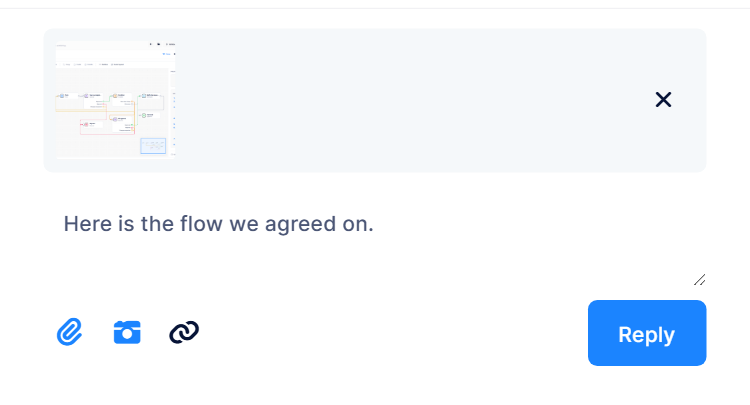
Chat attachments: Files and images can be previewed before sending, images appear as thumbnails, and they open full size in a preview.
React Health Check page: The Health Check page, which already existed in MVC and Angular, is now available in React.
Angular session timeout: Fixed the session timeout never triggering and its progress bar not rendering.
Angular loading: The app now shows a single loader from first paint until the initial route renders.
Angular date picker:
abp-datetime-pickernow clears its bound value and no longer uses a hardcoded date format.Startup: Fixed the
ERR_TOO_MANY_REDIRECTSerror when the web app starts before SQL Server is available. The app now waits for the database during startup.AI assistant configuration: Skills, commands, agents and rules now live in a single
.agents/folder, and the files for each assistant are generated from it.Tests: Fixed the assembly name and package id of the
Test.Baseproject.
🔗 Additional Resources
Full changelog and commit history for v15.5 are available here:
📢 v15.5 Release Notes: https://github.com/aspnetzero/aspnet-zero-core/releases/tag/v15.5.0
📢 v15.5 RC-1 Release Notes: https://github.com/aspnetzero/aspnet-zero-core/releases/tag/v15.5.0-rc.1
🙏 Conclusion
ASP.NET Zero v15.5 brings capabilities that many teams would otherwise have to build themselves: a workflow and approval builder, API key authentication, passkey login, and social logins in the mobile app. Together with the Power Tools improvements, the move to ng-zorro, Metronic 8.3.3 and ABP 11.4, it gives your applications a stronger and more modern foundation.
We hope you enjoy building with v15.5.
For questions, suggestions, or support, feel free to reach us at: 📩 [email protected]

